InstaVOLT1.7
Publisher Description
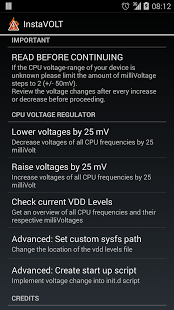
InstaVOLT is the easiest app for managing your CPU milliVoltage levels. You can undervolt or overvolt your CPU voltage levels by steps of 25 milliVolt. Be sure to check the overall voltage levels after every increase or decrease, so you know what your device/kernel is capable of.
Requirements:
- Root
- Busybox
- Kernel with VDD levels support
Warning:
I'm not responsible for any damage caused to your device, use at own risk!
- If the voltage levels are to low your phone will freeze and you will need to pull the battery
- If the voltage levels are to high your phone will overheat and/or suddenly power off.
Updates incoming..
About InstaVOLT
The company that develops InstaVOLT is broodplank. The latest version released by its developer is 1.7. This app was rated by 1 users of our site and has an average rating of 5.0.
To install InstaVOLT on your Android device, just click the green Continue To App button above to start the installation process. The app is listed on our website since 2014-02-21 and was downloaded 19 times. We have already checked if the download link is safe, however for your own protection we recommend that you scan the downloaded app with your antivirus. Your antivirus may detect the InstaVOLT as malware as malware if the download link to com.broodplank.instavolt is broken.
How to install InstaVOLT on your Android device:
- Click on the Continue To App button on our website. This will redirect you to Google Play.
- Once the InstaVOLT is shown in the Google Play listing of your Android device, you can start its download and installation. Tap on the Install button located below the search bar and to the right of the app icon.
- A pop-up window with the permissions required by InstaVOLT will be shown. Click on Accept to continue the process.
- InstaVOLT will be downloaded onto your device, displaying a progress. Once the download completes, the installation will start and you'll get a notification after the installation is finished.
Program Details
System requirements
Download information
Pricing
Version History
version 1.7
posted on 2014-02-21
v1.7,- Updated UV/MV table not showing on default path,- Improved check voltages method.,v1.6,- Updated RootTools,- Added advanced option to set a custom sysfs path for the vdd_levels file,- Added advanced option to write init.d script with chosen changes.,v1.5:,- Switched from UV_mV_table to UV_uV_table, since UV_mV_table isn't adjustable,v1.4:,- Fixed really really really lame error,v1.3:,- Added support for UV_mV_tables sysfs interface,- Adjusted text for non supported kernels
version 1.5
posted on 2013-06-04
Several fixes and updates
